ComfyUI

From first nodes to
AI video workflows

Installation, nodes, models, parameters, workflows and troubleshooting.
COMFYUI WORKFLOW
Load Checkpoint
MODEL · CLIP · VAE
CLIP Text Encode
POSITIVE PROMPT
KSampler
STEPS 24 · CFG 7.0
VAE Decode
LATENT → IMAGE
Video Output
MP4 · 24 FPS
01Install & launch
02Understand nodes
03Import workflows
04Generate & debug
EXAMPLES

Example workflows

Official img2img workflow
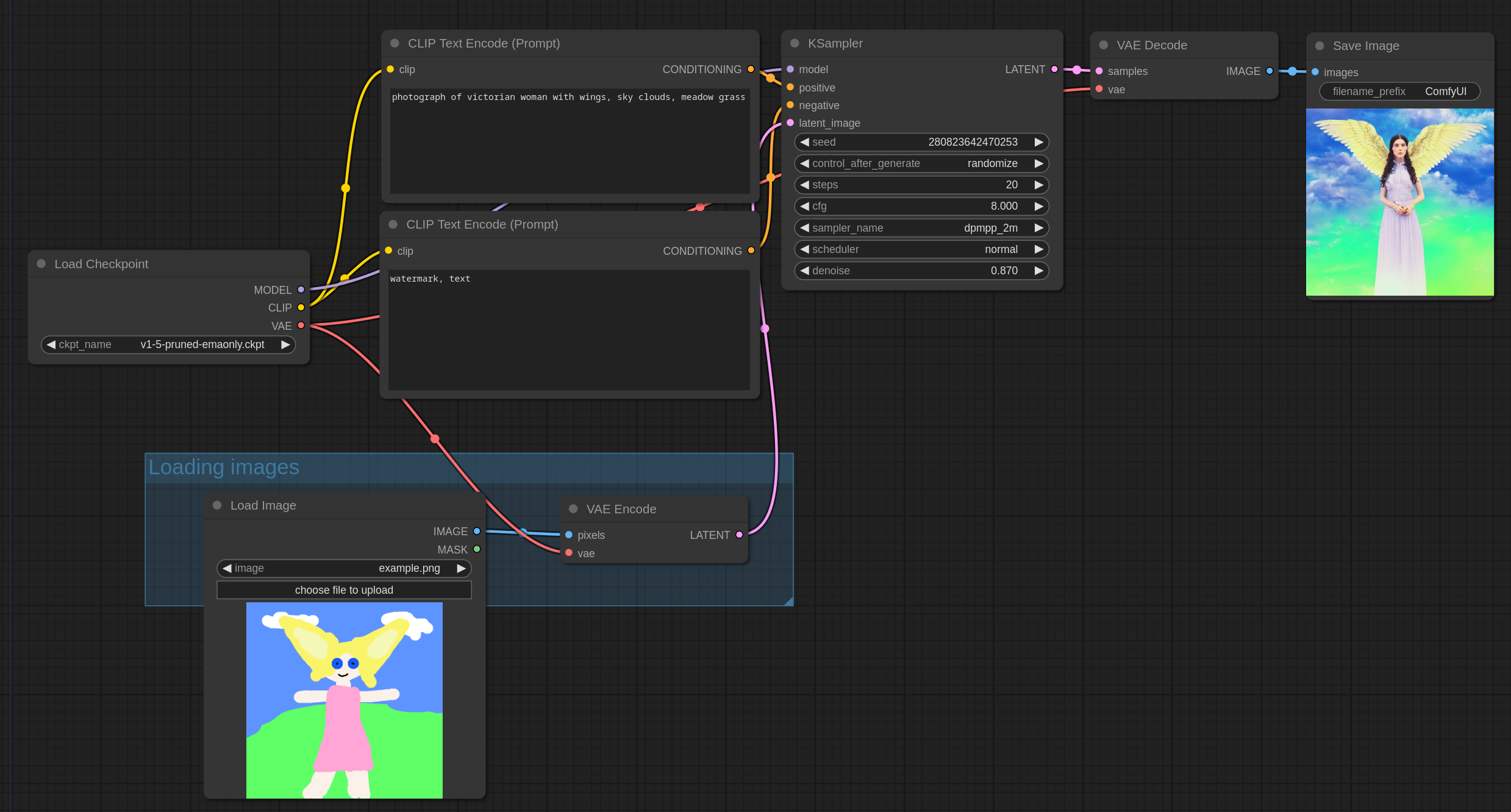
IMG2IMGControl denoise to preserve the subject while generating variations.
Official ControlNet workflow
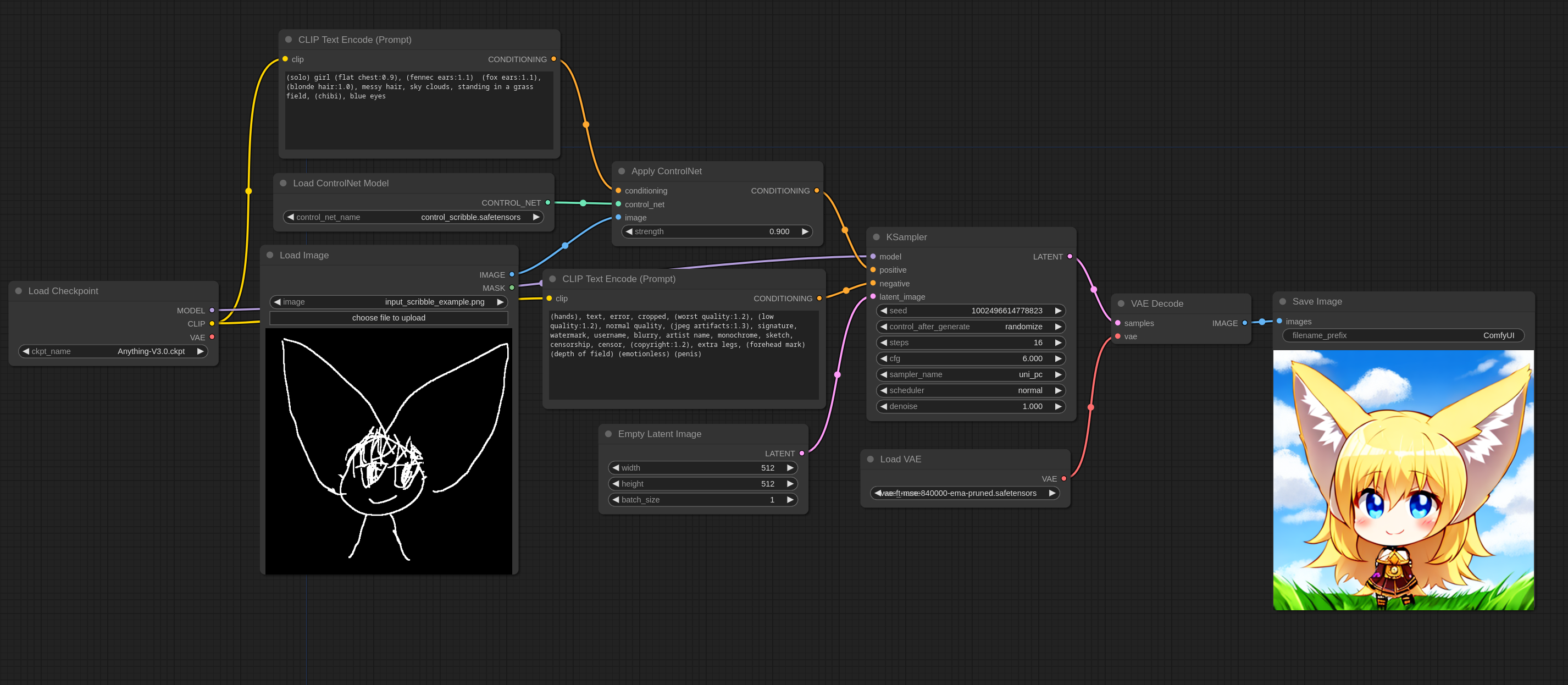
CONTROLNETUse pose, depth or edges to stabilize composition and action.
Official image-to-video cover
IMAGE TO VIDEO
STEP BY STEP

ComfyUI tutorials

MODULE 01

Install and launch

Choose Desktop or portable builds and verify Python, CUDA, drivers and queue status.

  • Windows, macOS and Linux
  • GPU and CPU modes
  • Startup logs
Official setup guide ↗
MODULE 02

Canvas and nodes

Learn ports, wire types, zoom, queues, history and reusable node groups.

  • Inputs and outputs
  • Data types
  • Search and shortcuts
Core concepts ↗
MODULE 03

Models and folders

Understand Checkpoint, VAE, LoRA, ControlNet and video models.

  • models/checkpoints
  • models/vae and loras
  • Refresh missing models
Open starter workflows ↓
MODULE 04

Sampler settings

See how Seed, Steps, CFG, Sampler, Scheduler and Denoise affect the result.

  • Start with 20–30 steps
  • CFG controls prompt strength
  • Denoise controls variation
Import a workflow ↓
MODULE 05

Image-to-video

Prepare a keyframe, load a video model, set frames and resolution, then decode and combine.

  • Stable keyframe
  • Frames, FPS and duration
  • Low-VRAM strategy
Official templates ↗
MODULE 06

Troubleshooting

Resolve red nodes, missing models, CUDA OOM errors and flicker systematically.

  • Install missing nodes
  • Check model paths
  • Reduce frames or resolution
Troubleshooting ↗
READY TO IMPORT

Starter workflows

Local JSON files use core nodes; replace model names with models installed on your machine.

CORE · JSON

Text-to-image starter

A minimal model, prompt, sampler, decode and save workflow.

  • Core nodes only
  • 768 × 512
  • Guided notes
Download JSON
IMG2IMG · JSON

Image variation starter

Use low denoise to create consistent keyframe variations.

  • Core nodes only
  • Denoise 0.45
  • Keyframe ready
Download JSON
VIDEO · OFFICIAL

Official video templates

Use the maintained official library for current video models and nodes.

  • Continuously maintained
  • Model requirements
  • Category filters
Open official library ↗
OFFICIAL RESOURCES

Official ComfyUI links

Installers, docs and workflows link to maintained official sources.